

Is Etsy Plus Membership Important? Should You Subscribe?
I recommend becoming an Etsy Plus member when selling on the platform. The subscription fee is $10, but it already provides you with $5 in listing credits and 15 free listing credits (valued at $3).
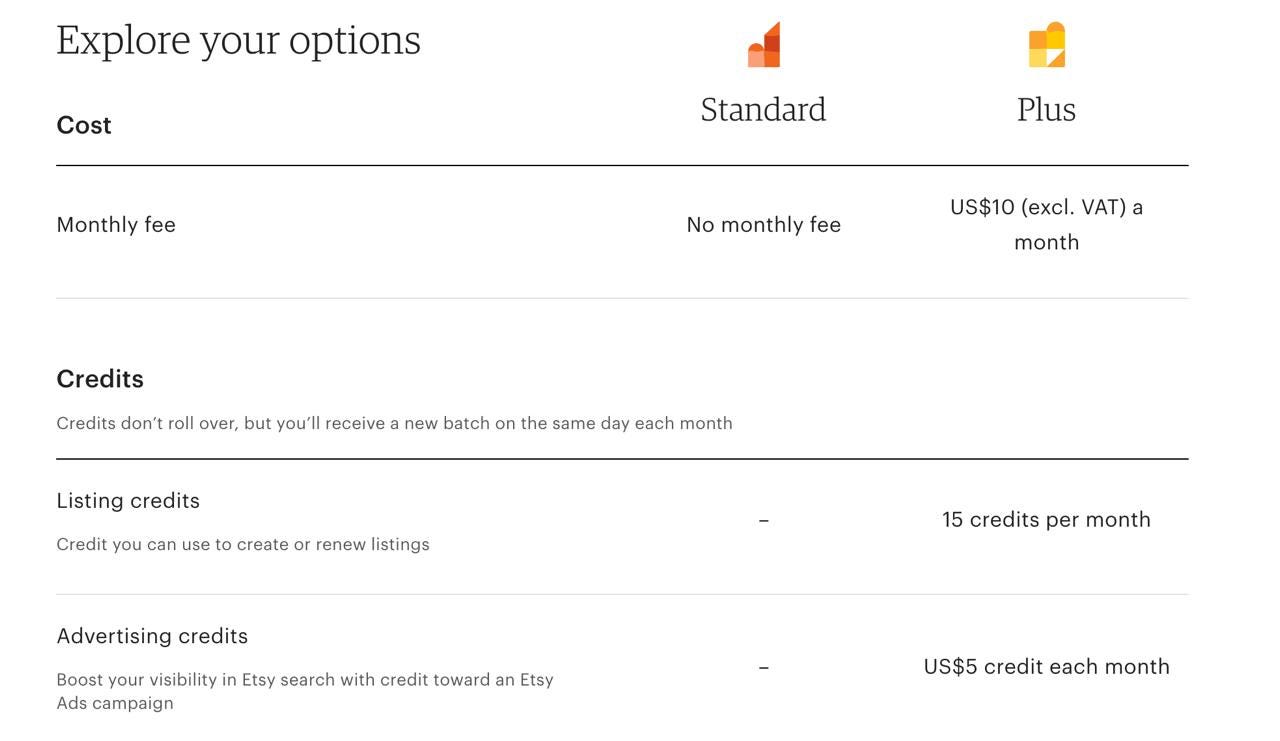
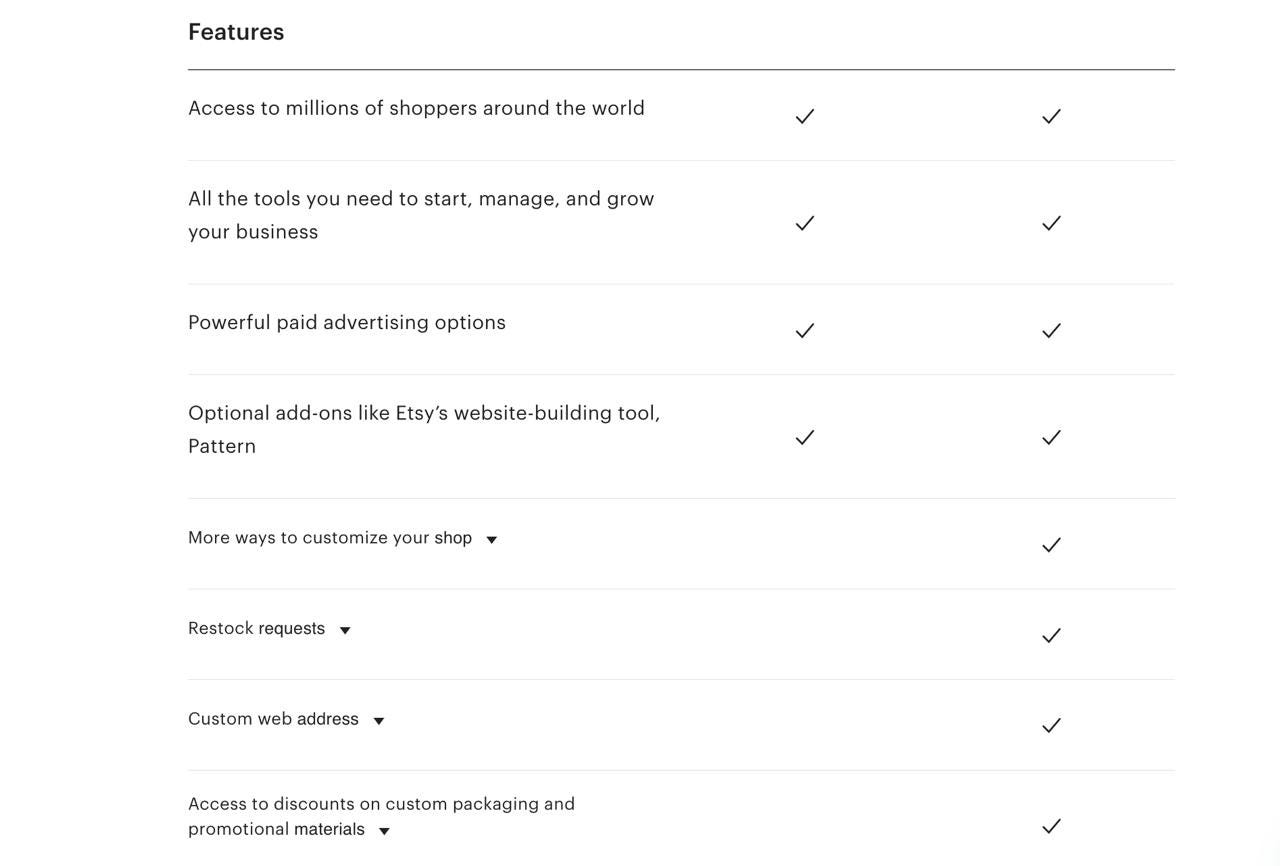
With Plus, you can customize your shop with more banner options and advanced category designs. While it won’t have a “miraculous” impact on sales, it allows you to stay one step ahead of shops using the standard layout. We use Etsy Plus in our own shops. You can review the visual differences between a standard and a Plus membership in the provided screenshots.
How to Set Up Shop Settings? What to Do After Opening an Account?
When you first open your shop, it will be a completely blank page. You need to organize details such as product uploads and descriptions.
The Shop Banner and Slogan
You should use a banner that provides a general overview of your shop. You can showcase a few of your best products here. Below the banner, you should provide information about your products in a short sentence (4–5 words). These are effective details for making your shop stand out. It is beneficial to use keywords here. Successful shops often create mottos or slogans using relevant keywords.
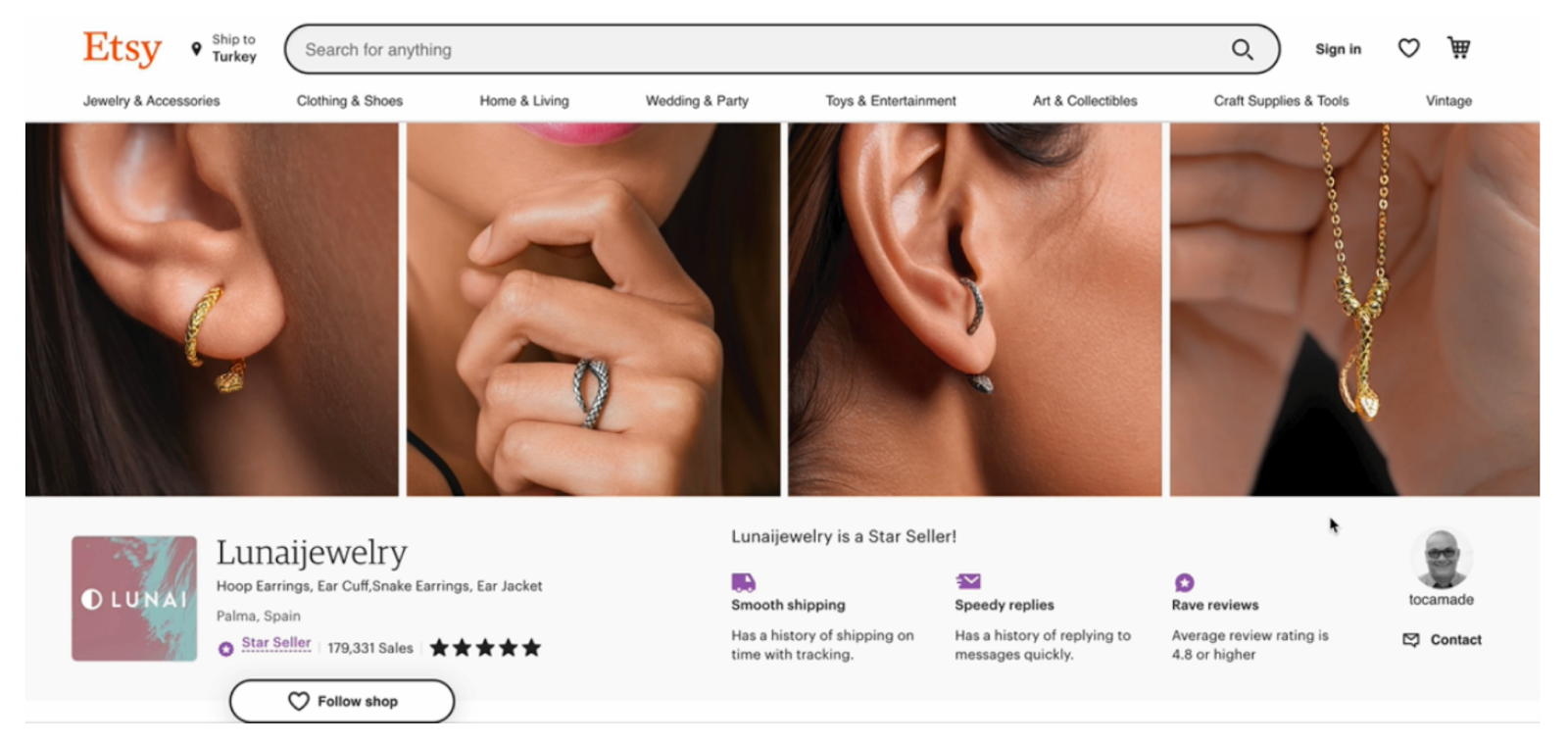
As seen in the examples:
“Personalized Bridesmaid Hangers”
“Dainty Personalized Jewelry Crafted with Love”


On the left, there is a space for your shop logo. On the right, you can fill in the seller profile. You can create these visuals using platforms like Canva or Midjourney.
Announcements and Story
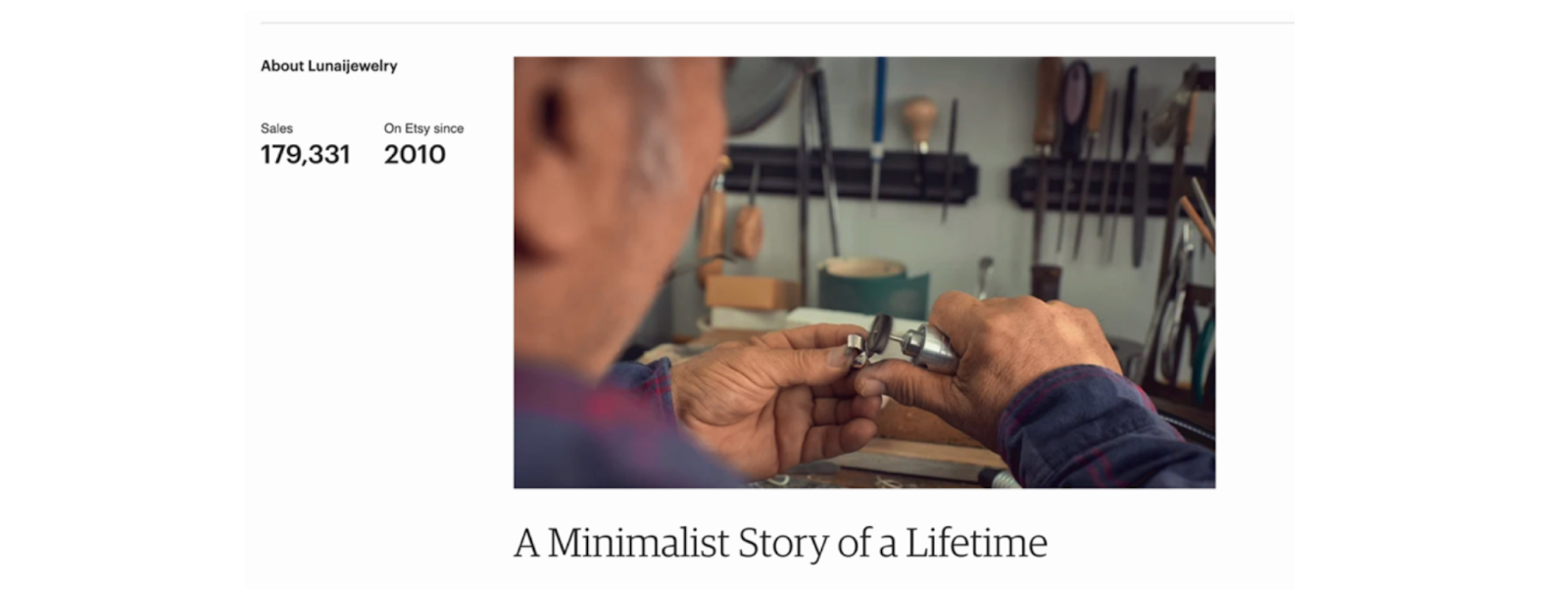
Below the header, there is an “Announcement” area for updates. Further down, you will find reviews. At the very bottom, Etsy asks you to write your “About” story. You can describe your production or design process here. Adding high-quality photos or videos to this section will significantly benefit your shop’s credibility.
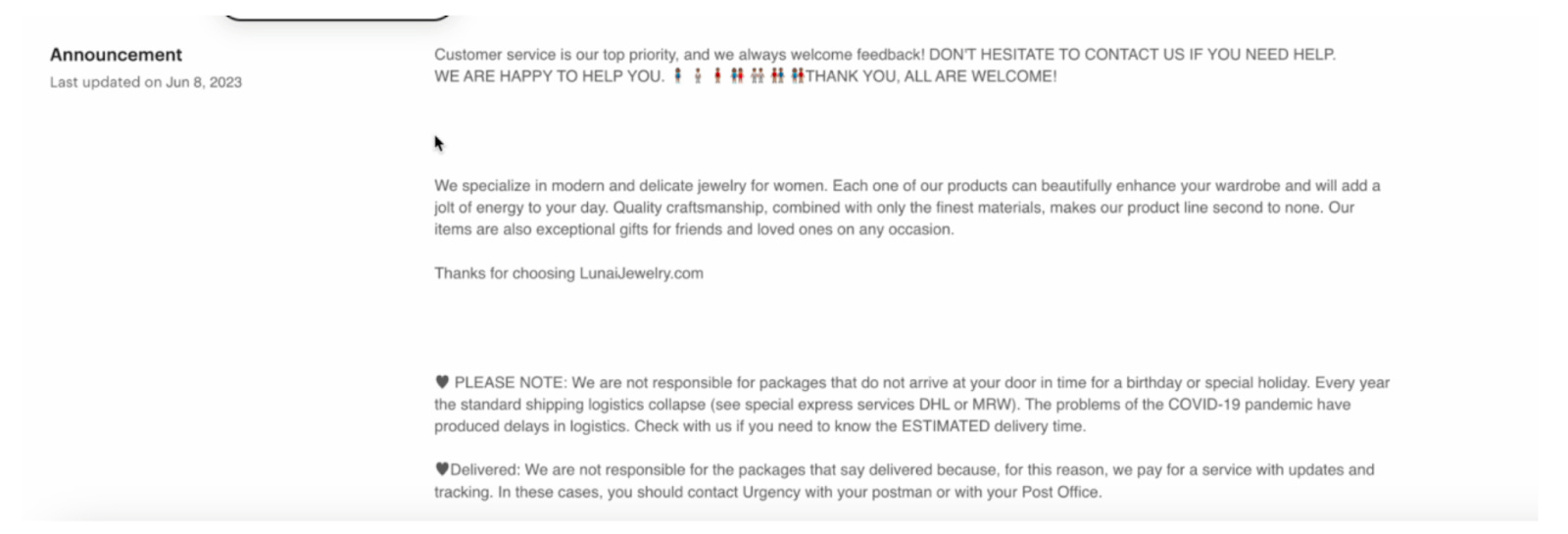
Etsy is a platform that offers a more intimate and warm shopping experience. Establishing a personal bond with customers builds trust, which positively impacts sales.
Social Media and Shop Members
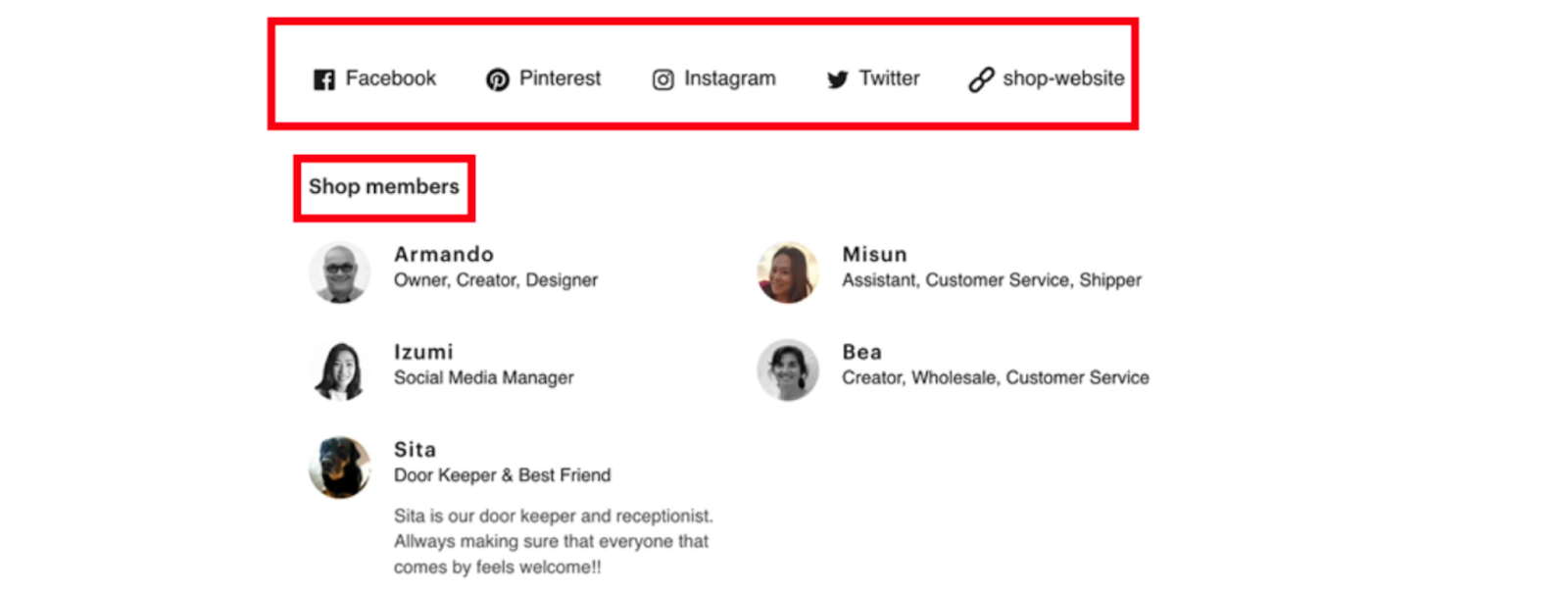
Social media is a powerful tool for promotion. You can easily link your Pinterest, Facebook, Instagram, and X (Twitter) accounts to your Etsy shop. The “Shop Members” section is very useful if you aren’t working alone. You can add friends or team members to the system, helping you share the workload.
Policies and Shipping
The “Policy” section is vital for shop operations and customer satisfaction. You must clearly state your return and cancellation policies. This professionalism increases buyer confidence.
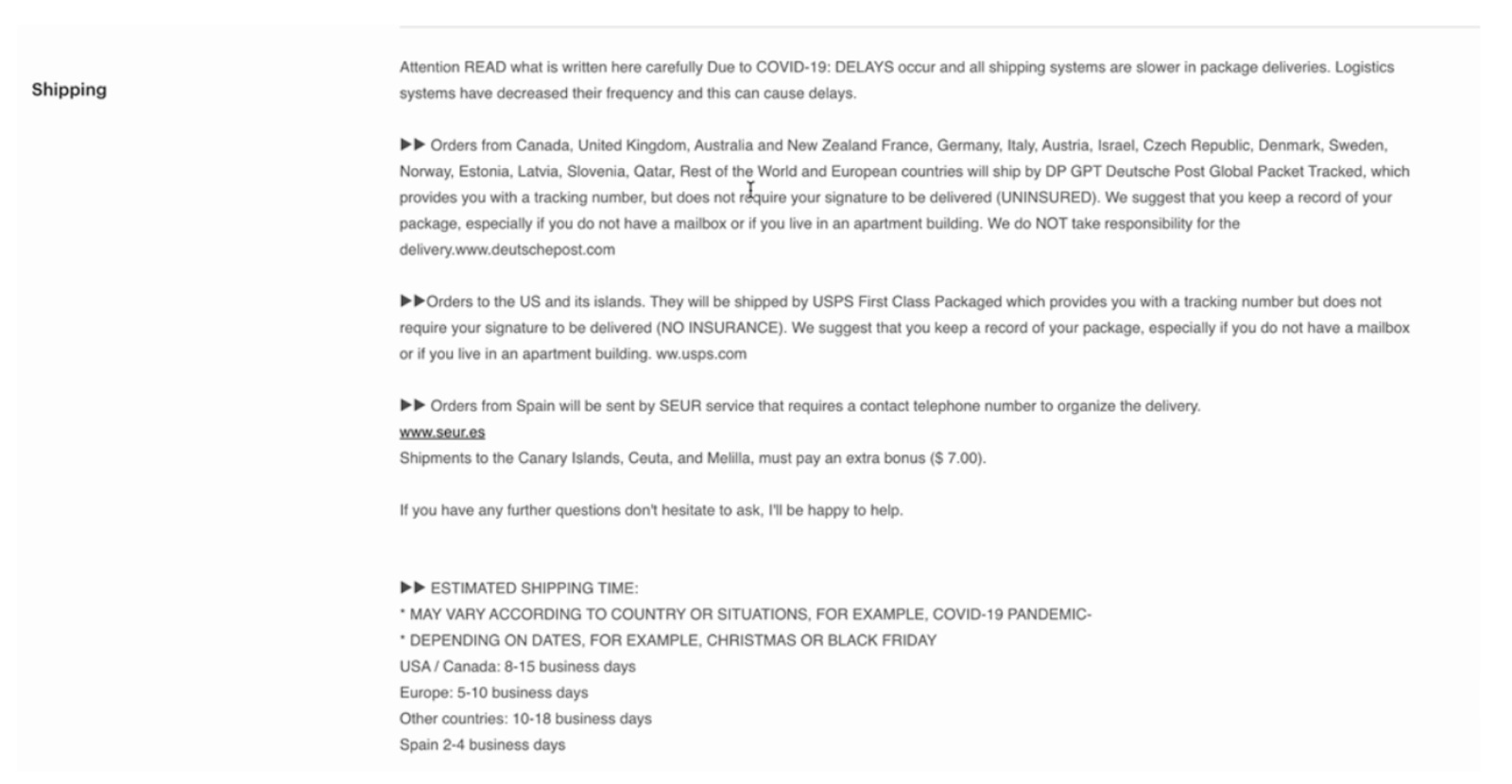
The “Shipping” section is also inseparable from the sales process. Explaining your shipping times for different regions (e.g., USA vs. Canada) helps manage customer expectations, leading to better reviews.
Production Partners
As mentioned before, you don’t have to manufacture the products yourself. You can add a “Production Partner.” The important thing here is transparency; Etsy wants to know who you are working with if you aren’t the physical maker.
You can adjust all these settings (banners, descriptions, members) by clicking the “Edit Shop” button next to your shop name in the Shop Manager.
Understanding the Seller Dashboard (Stats, Marketing, Finance)
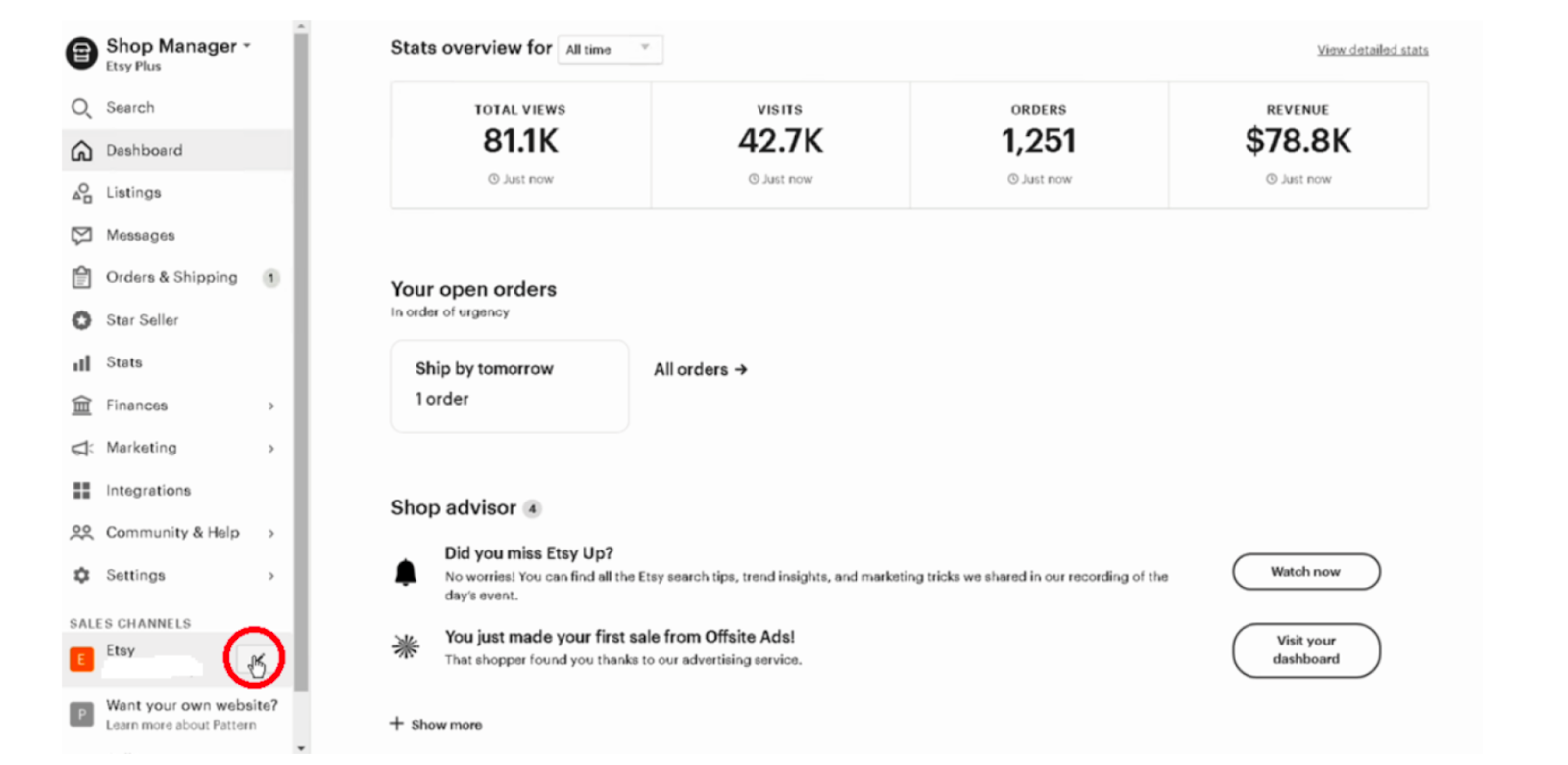
Once your shop is open, you will manage everything through the Seller Tools. Here is a breakdown of the tabs:
Dashboard: An overview of your general statistics.
Listings: The page where you create and edit product listings.
Messages: Where you view and respond to customer inquiries.
Orders & Shipping: Where you manage incoming orders and tracking.
Etsy Search Visibility: Recommendations to improve your shop’s SEO.
Stats: Detailed data on views, clicks, and sales for your products.
Customer Service Stats: Requirements and your current status for becoming a “Star Seller.”
Marketing: Where you create and track Etsy Ads, discounts, and sales campaigns.
Finances: Contains all data regarding Etsy’s deductions, fees, and your payments.
Integrations: Apps and tools you have integrated with your Etsy shop.
Help: The support center for resolving issues.
Settings: The hub for all your shop’s back-end configurations.