Before uploading our products to the Etsy platform, we need to make extensive keyword research. We will use the keywords found during this research to create our titles, descriptions, and tags.
You can find keywords using three primary methods:
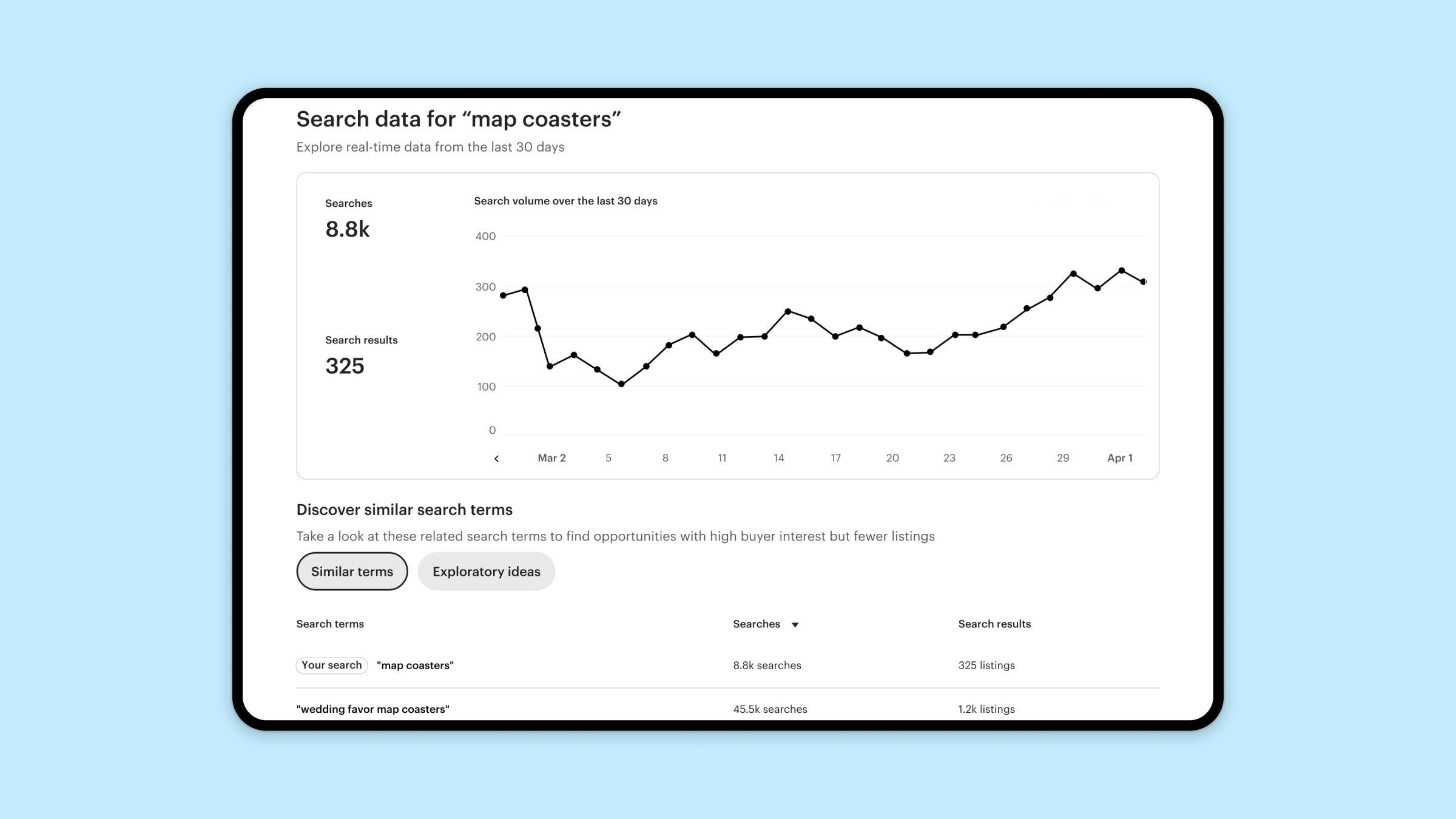
Using Etsy ‘Keywords with marketplace Insights’ tool.
Using the Etsy search box.
Analyzing your competitors.
Using keyword research software.
1. Using Etsy ‘Keywords With Marketplace Insights’ Tool
2. Using the Etsy Search Box
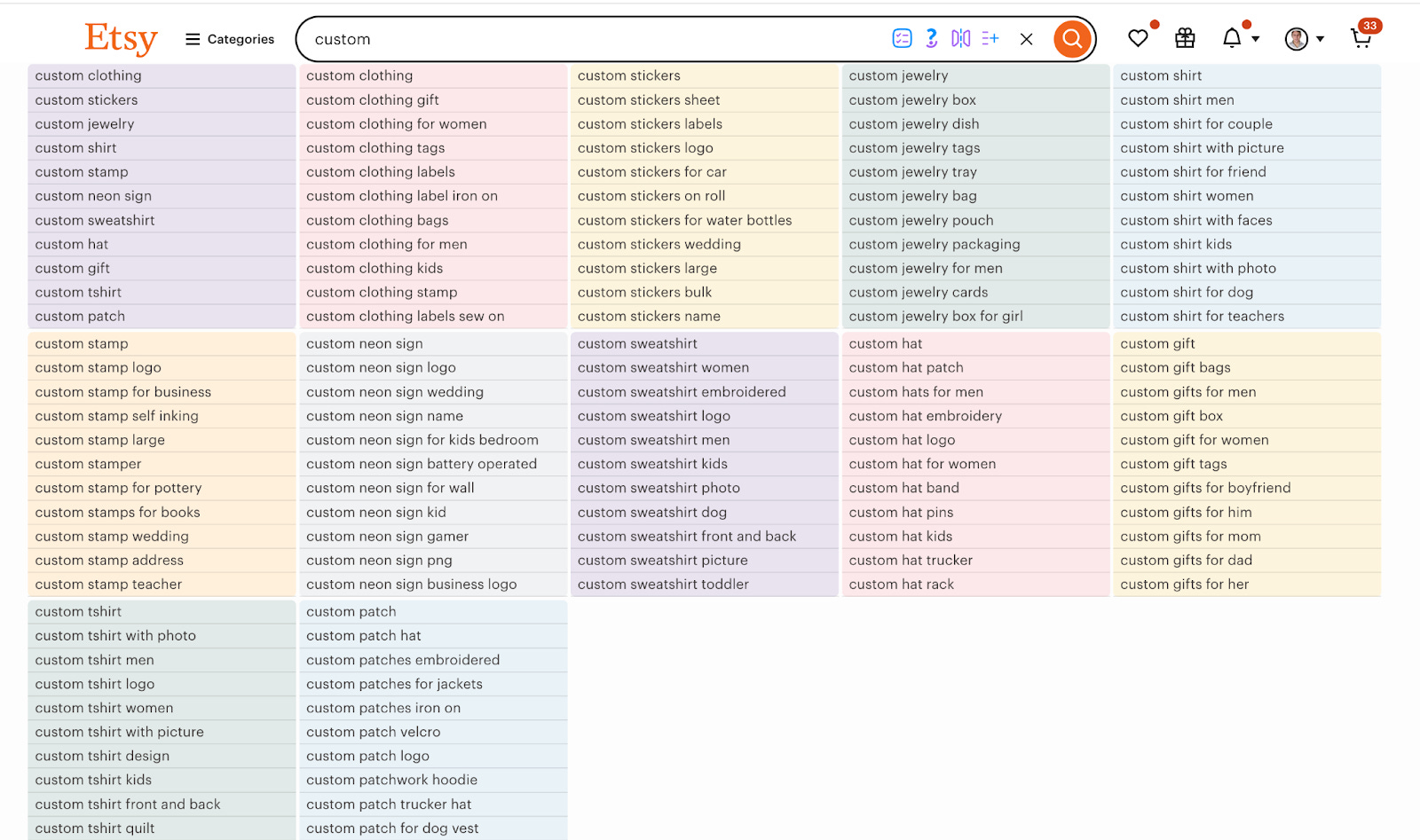
When you type any word into the Etsy search box, it provides suggestions. These suggested words are mostly the terms that customers search for the most. You can use the “Keyword Explorer” extension to find many word combinations within these searches.

3. Analyzing Your Competitors
In the second method, you need to examine the titles, descriptions, and tags of competitors selling products similar to yours. You can collect the most frequently used keywords into a single document.
4. Using Keyword Research Software
Finally, you can perform analysis using software designed for Etsy product and keyword research. I previously mentioned Etsyhunt for the product research side. In this section, I will introduce you to Erank.
After registering for Erank, enter the “Keyword Tool”. By typing in words, you should try to find keywords that have the highest search volume but the lowest number of competitors.
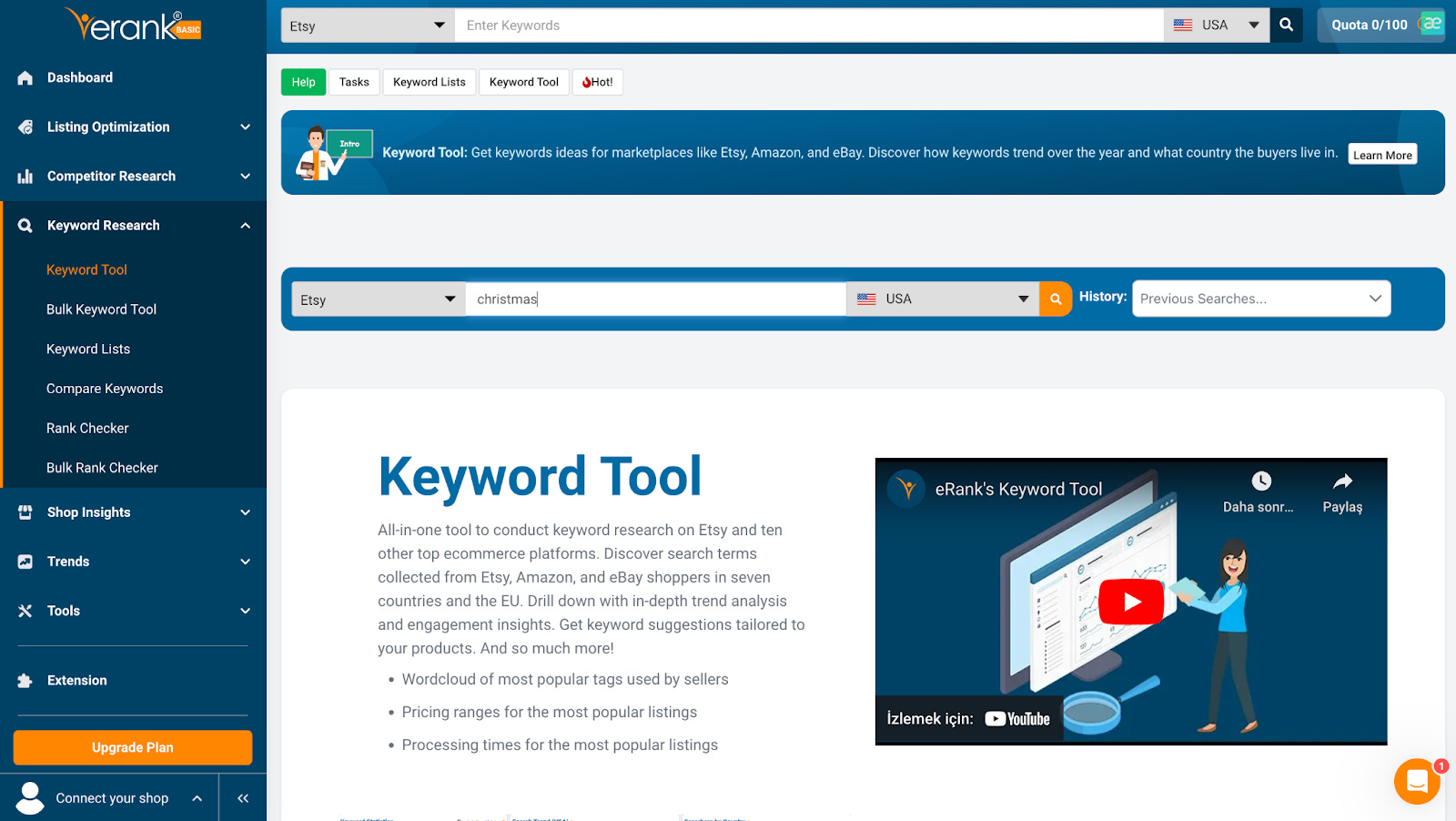
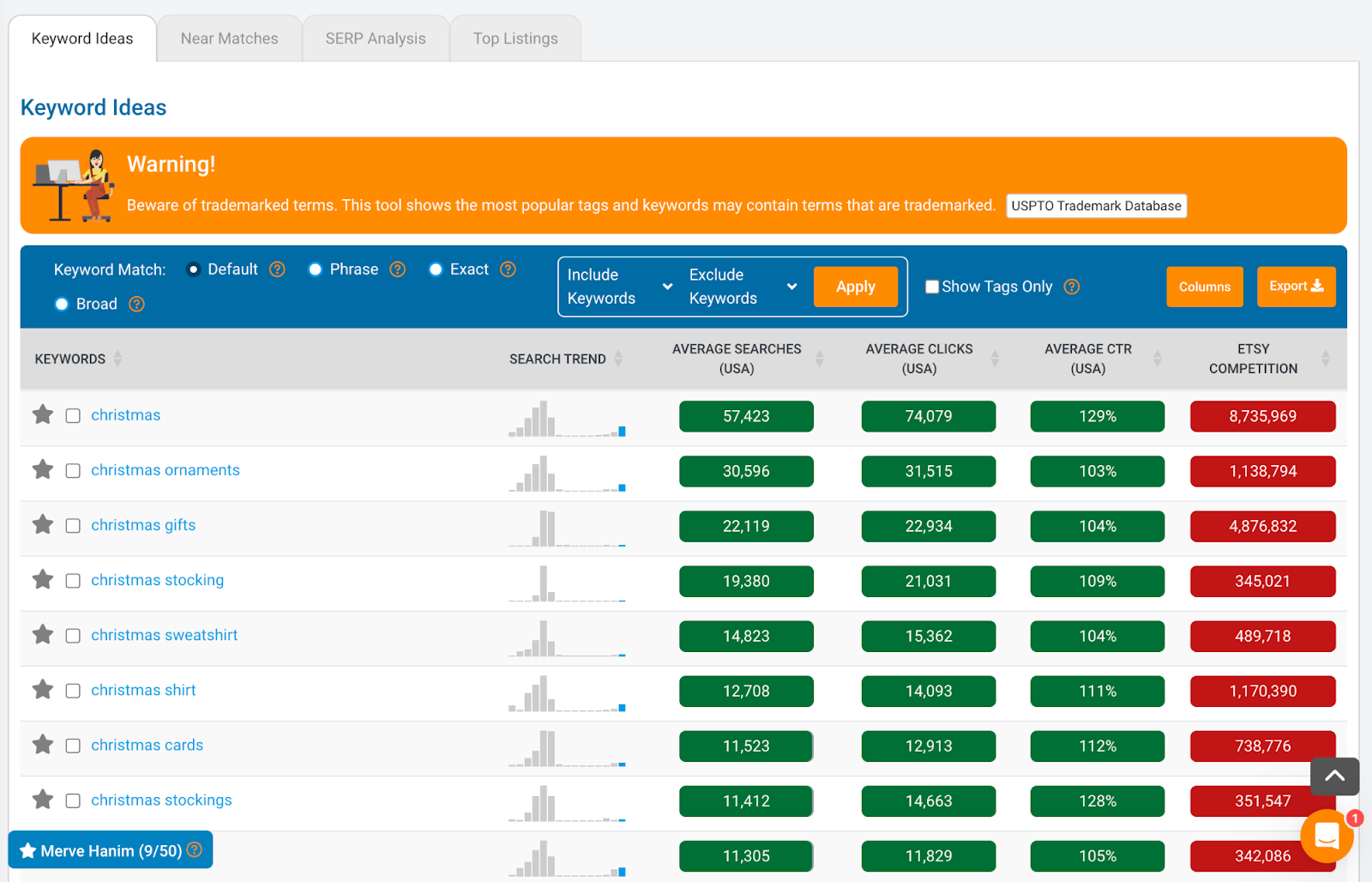
For example, after searching for “Christmas,” if I click on the term “Christmas shirt,” I can see which related keywords exist. Here, we should strive to find keywords where competition is low but search volume is high.
SERP Analysis
When analyzing the “Christmas Shirt” keyword, clicking the “SERP Analysis” button at the top analyzes the top 100 products for that term and provides the following data:
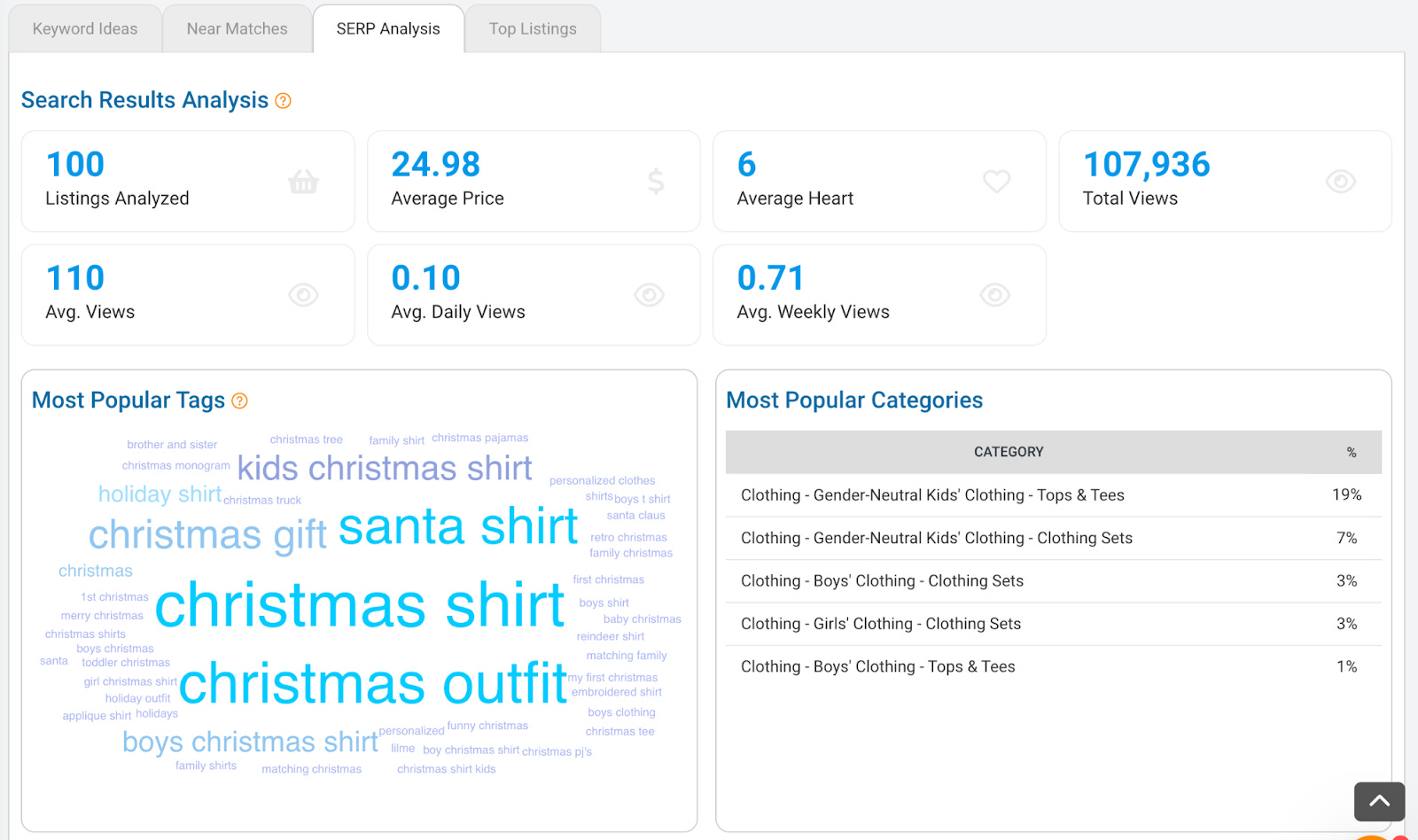
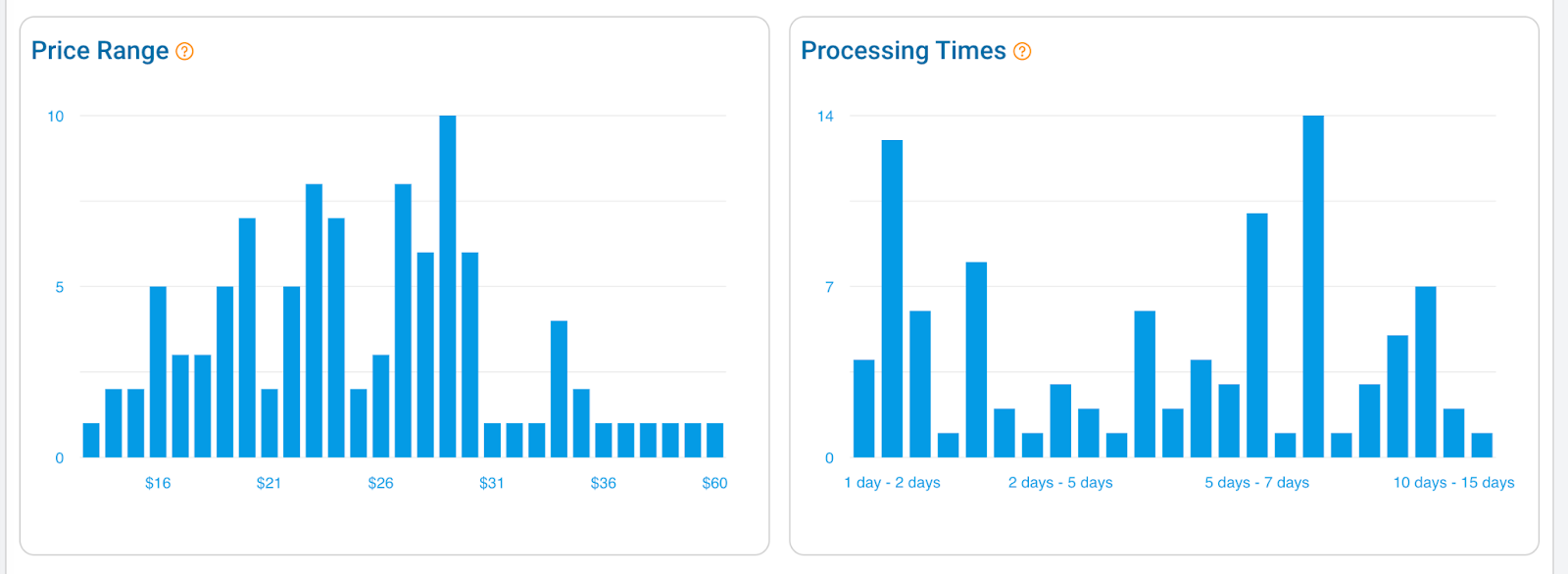
Average Prices: You can examine the average prices of competitors.
Processing Times: You can see how long it takes for others to produce their items. Use these as a benchmark when determining your own prices and production times.
Top 100 Listings
You can view the best-selling products for your chosen keyword by clicking the “Top 100 Listings” button. By examining the tags of these top-selling products, you can add them to your own keyword pool.
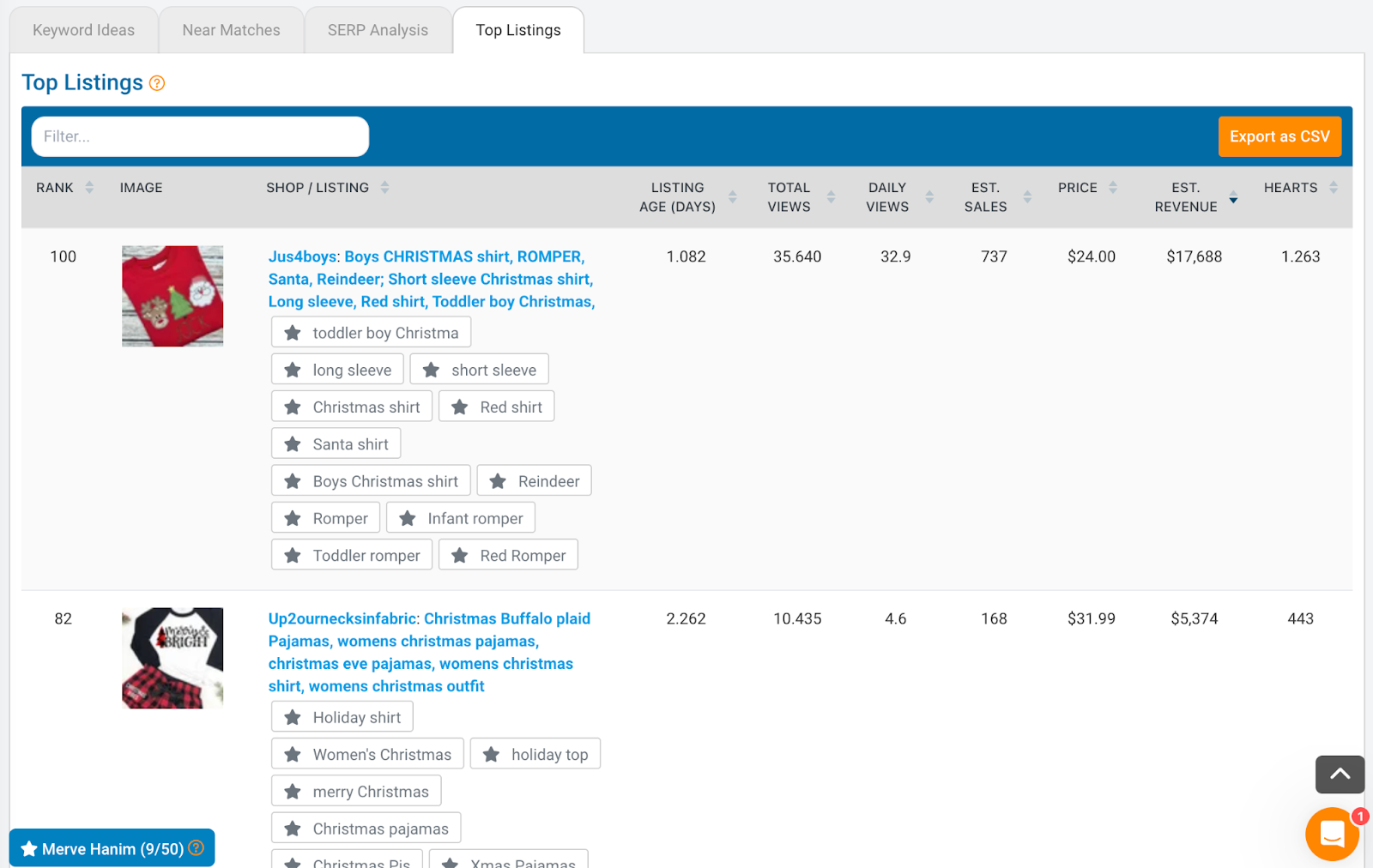
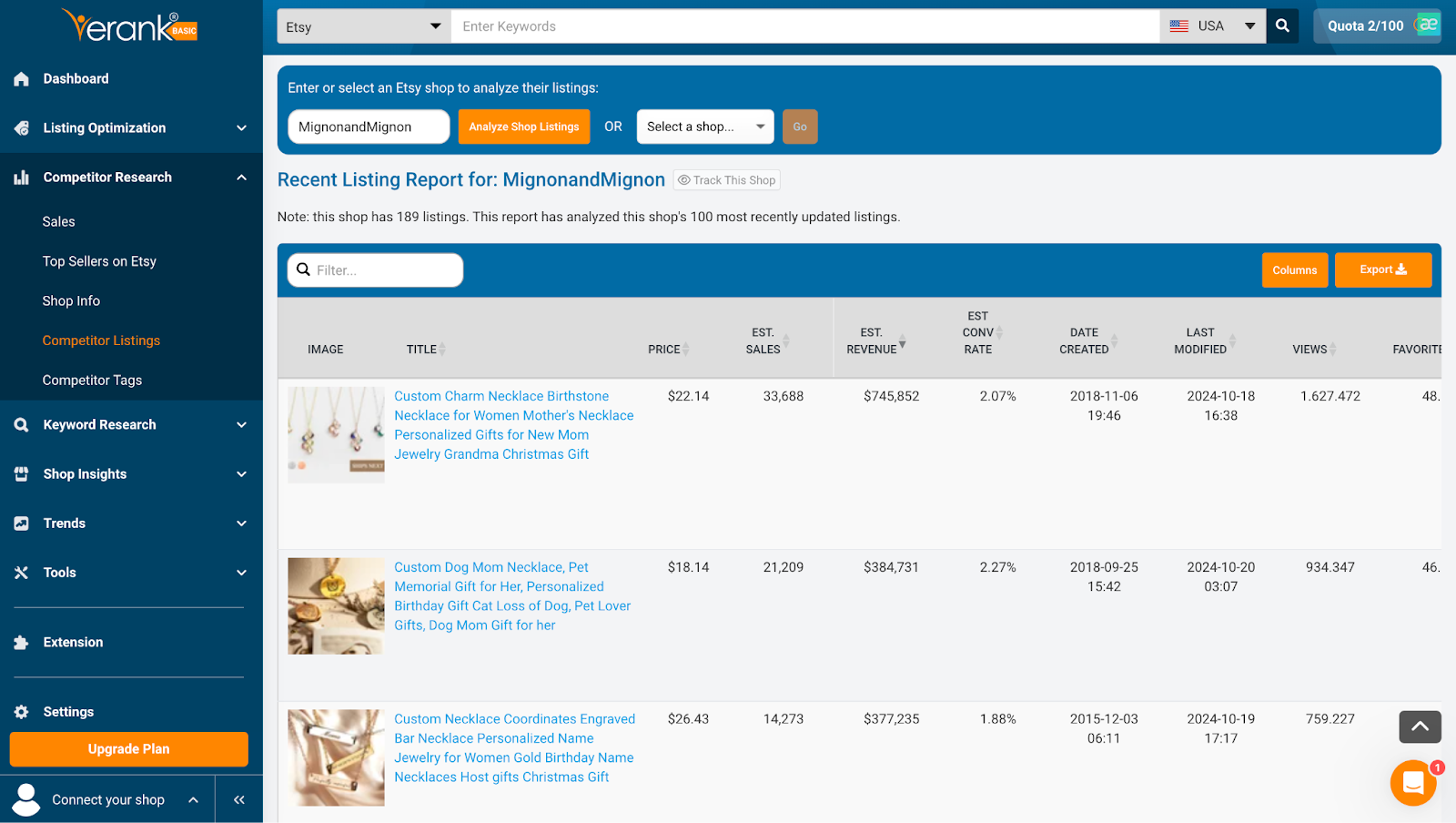
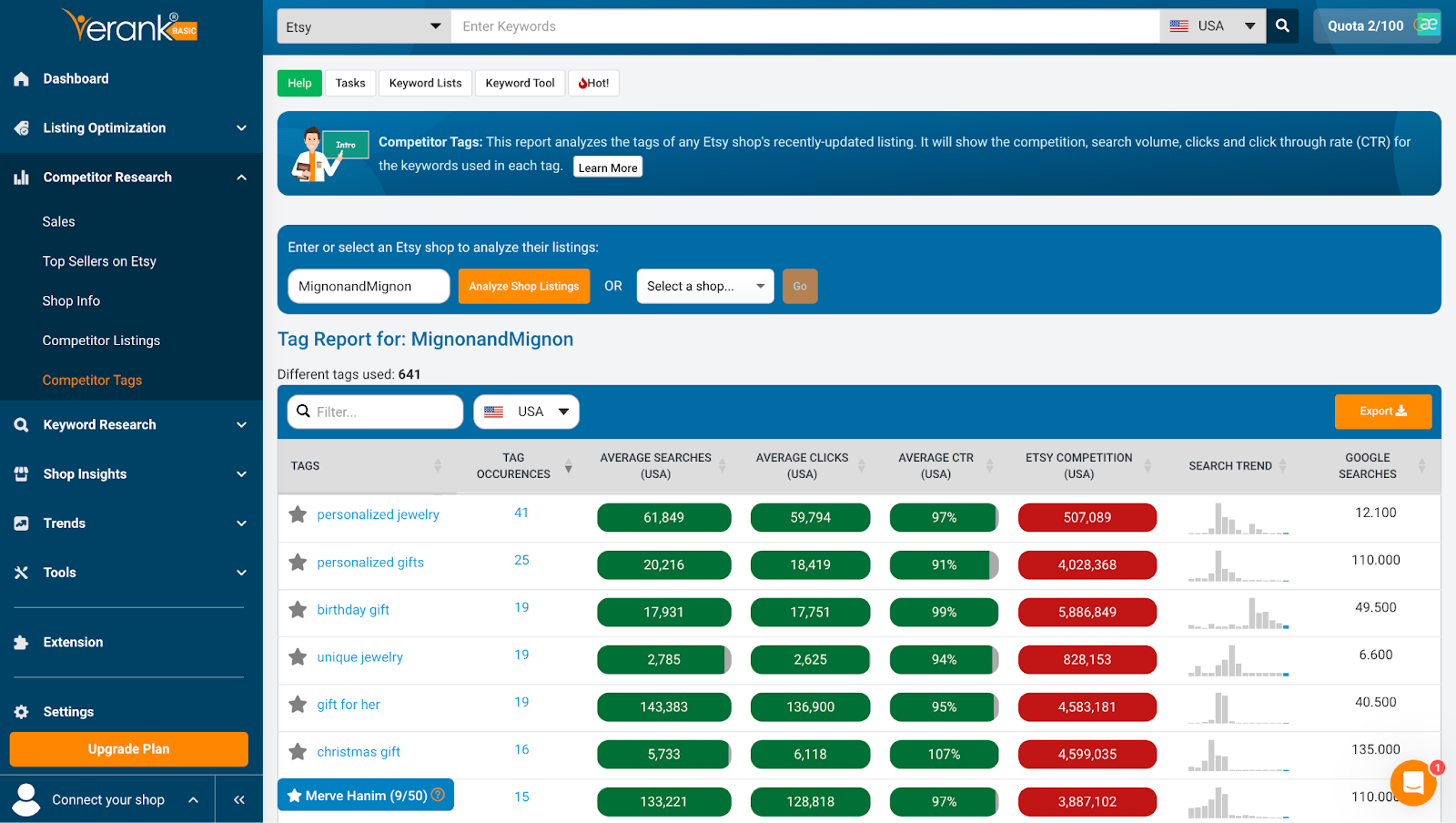
Additionally, using the “Competitor Research” section of the Erank software, you can examine which specific listings of your top competitors are selling the most and exactly which keywords they are using.